Budibase

Automation branches

Budibase’s automation builder lets people connect actions into workflows. Branches allow a run to follow different paths depending on conditions. Builders needed to understand those paths while looking at the workflow. I designed branch steps with conditions attached to each path, so users could see what determined the route and where to add another condition without leaving the canvas.
Budibase

Role permissions

Custom roles let administrators control what people can access and do within an application. The existing permissions experience relied on a flat list of toggles that was difficult to scan. I reorganised it around Read, Write and Execute levels, giving administrators a clearer structure for reviewing access. I also placed assignment beside the roles in settings.

Budibase

View calculations

Budibase views let builders shape how data appears in their applications. Some needed calculated values alongside the existing fields. I brought spreadsheet-style formulas into the view builder, with JavaScript available for more complex calculations. Results updated within the view, allowing builders to check a calculation against real rows while working on it.

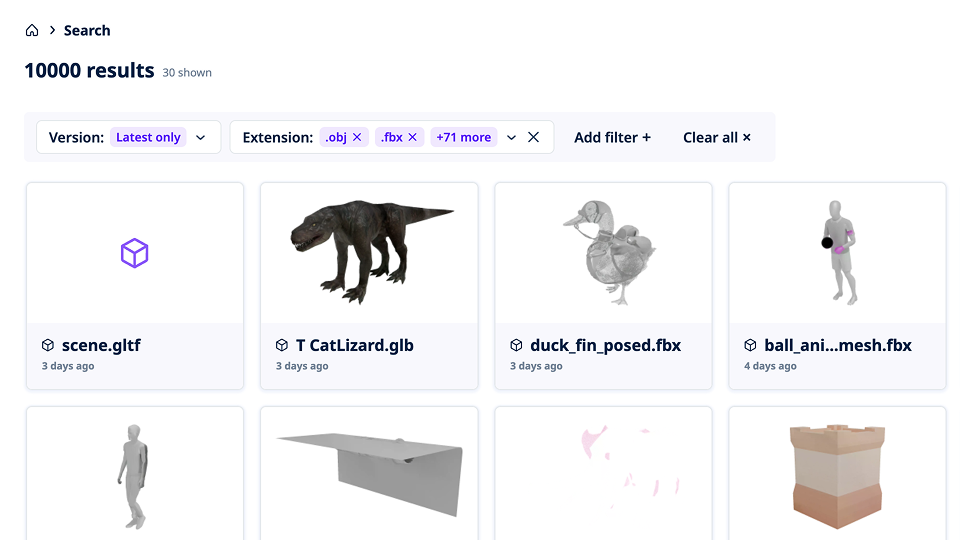
Active filters remain visible above the asset results and can be removed individually.

Perforce · P4 DAM

Advanced filtering

P4 DAM users apply filters to narrow down asset libraries. With several filters active, they needed to understand why particular assets appeared in the results. The existing experience put that information inside a panel users had to reopen. I surfaced active selections as removable chips above the results, making it easier to review the current query and clear an individual filter.

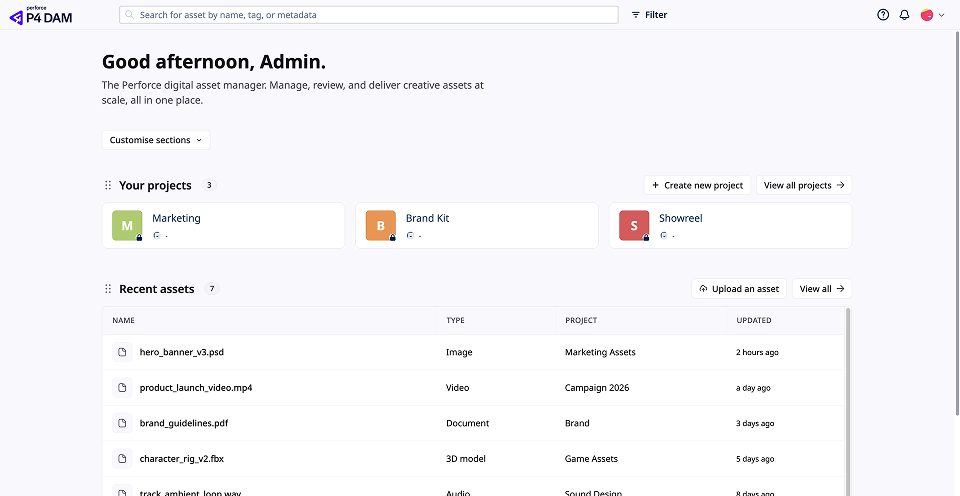
Recent files and active reviews are available on the dashboard.

Perforce · P4 DAM

Dashboard

People returning to P4 DAM often need to pick up an asset or review they were already working on. The previous home screen made them navigate further into the product to find that work. I redesigned the dashboard to bring recent files, active reviews and search forward, giving users direct starting points for continuing work or finding another asset.

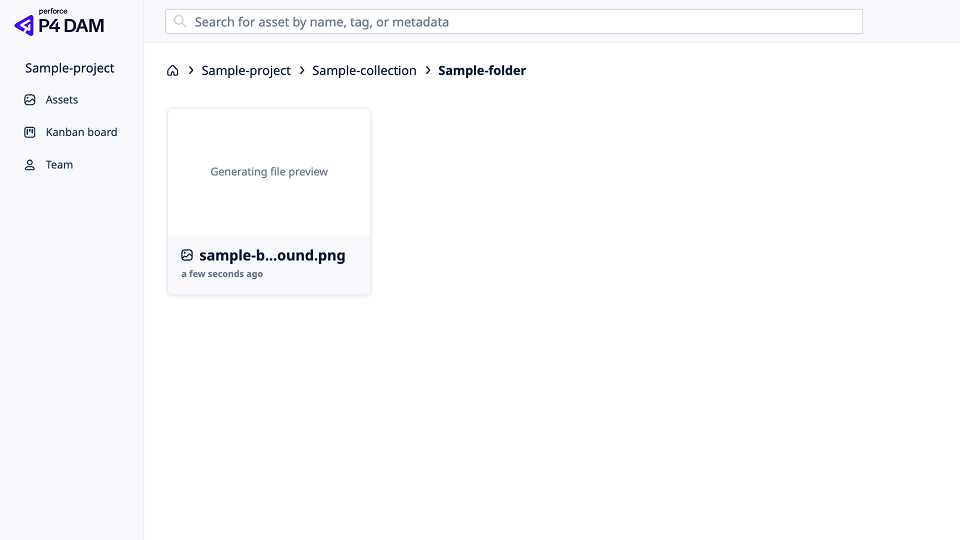
A consistent breadcrumb pattern shows the current location within the folder hierarchy.

Perforce · P4 DAM

Breadcrumbs

P4 DAM organises assets within folder hierarchies. Users need to understand their current location and move between folders as they browse. Navigation patterns differed across the product. I standardised the breadcrumbs, including how long paths were shortened and how users moved to parent or sibling folders.

Perforce

P4 Plan

Planning and scheduling work from Perforce. Screens and recordings will appear here once they are cleared for publication.